
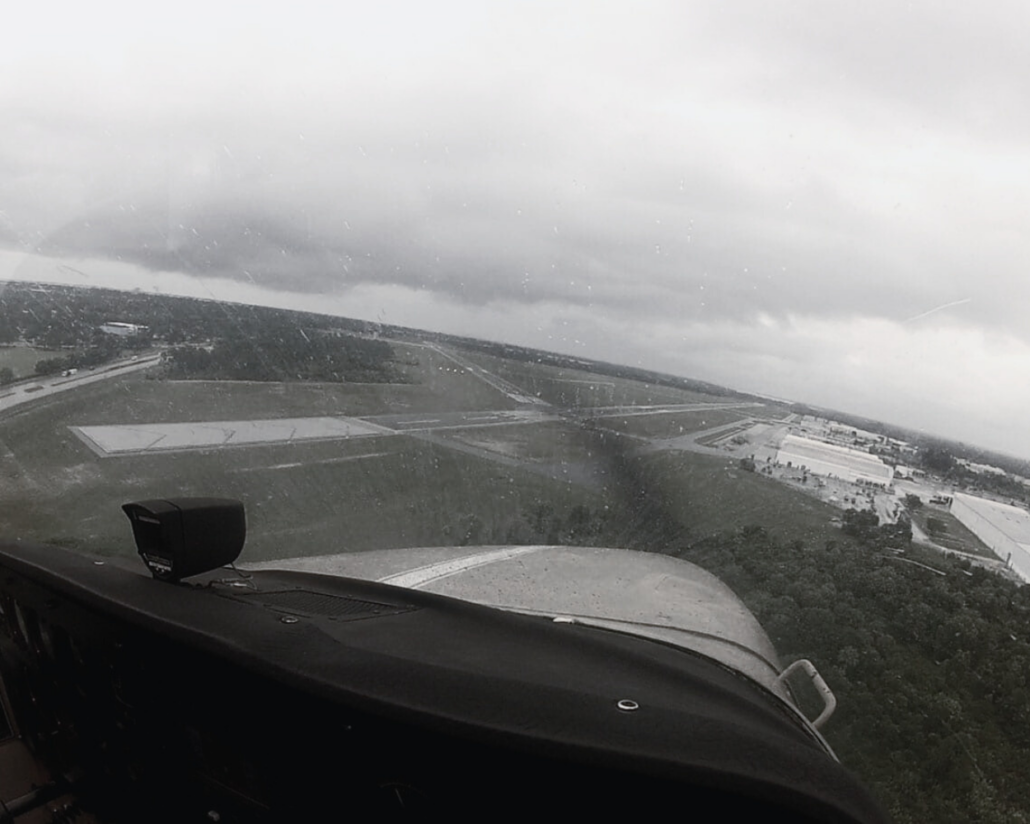
Why Advisory Glideslope +V Can Get You in Trouble
|
Getting your Trinity Audio player ready...
|
It looks like a glideslope. The needle comes alive and the airplane settles into a smooth, stabilized descent toward the runway. If you’ve flown an ILS or LPV recently, the picture is familiar. But on an RNAV (GPS) approach with LNAV or LP minimums, that glidepath can be lying to you.
A recent Garmin service alert highlighted a growing concern: pilots are following advisory vertical guidance—displayed as “+V”—as if it were approved vertical guidance, sometimes descending below minimums in the process. It’s an easy mistake to make. After all, the system behaves exactly like the real thing.
What +V Really Means
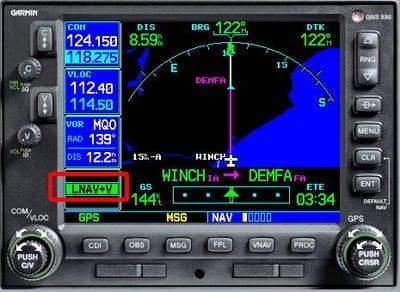 On WAAS-equipped GPS units, many non-precision approaches (like LNAV or LP) will display LNAV+V or LP+V. That “+V” indicates advisory vertical guidance—an internally generated glidepath to the runway. It’s designed to help you fly a continuous descent final approach—a safer, more stabilized alternative to the old “dive and drive” technique. That’s the good news.
Here’s the important part: advisory means exactly that.
- It does not change the type of approach
- It does not lower minimums
- It does not guarantee compliance with step-down altitude restrictions
- It does not provide obstacle clearance below MDA
It’s simply guidance to help you descend smoothly, but not a guarantee that you’re safe to follow it to the runway. Pilots get tricked because it looks and feels just like a glideslope with the same needle and descent profile. That familiarity is exactly what creates the risk. And when the autopilot captures a glidepath, there’s a natural tendency to trust it. The airplane is doing something that feels precise and intentional. But Garmin makes this explicit in their alert: the autopilot will happily follow that path right through the MDA. It will not level off for you.
Shifting Your Scan
On a non-precision approach, altitude is everything. Stepdown fixes, crossing restrictions, and especially MDA require constant attention to the altimeter. But once pilots lock onto a glidepath, the scan often shifts to much less attention on the altimeter and more on that glideslope needle. That’s the trap. You’ve just traded a hard limit altitude (MDA) for a suggested glidepath and may miss step-down altitude restrictions or the MDA in the process.
The advisory vertical guidance will not always keep you at or above the altitude for step-down fixes between the final approach fix (FAF) and missed approach point (MAP). You still need to level off at these to maintain adequate obstacle clearance.
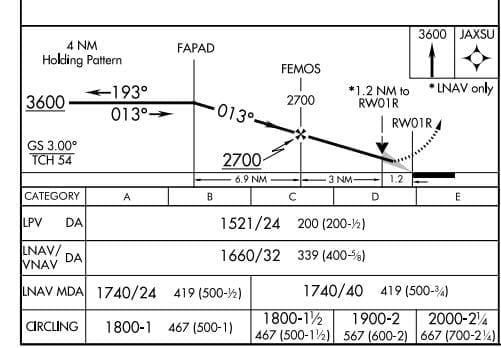 No matter what the avionics are showing, one rule doesn’t change: the altimeter is your primary reference and not the glidepath. Advisory vertical guidance can take you to minimums, but it cannot take you below them.
To descend below MDA, you still must comply with 14 CFR 91.175:
- Required visual references in sight
- A normal descent to landing can be made
- Flight visibility requirements are met
Without those, the correct move at MDA is to level off or go missed.
Advisory glidelope is still valuable
Advisory vertical guidance is a valuable tool and incredibly useful. It has made non-precision approaches safer and easier to fly. It encourages stabilized descents, reduces workload, and helps prevent classic “dive and drive” errors. But it also introduces this new type of risk.
When something looks exactly like a precision approach, it’s easy to start flying it like one. Never forget what kind of approach you’re actually flying.
Simple call-outs can reinforce the habit:
- “Approaching minimums”
- “Minimums—leveling”
Quick Poll

- Why Advisory Glideslope +V Can Get You in Trouble - March 31, 2026
- Try These New FAA Questions - March 25, 2026
- The Go/No-Go Decision Isn’t Binary - March 3, 2026

Leave a Reply
Want to join the discussion?Feel free to contribute!